
Frequently Asked Questions
I noticed an error on my information shown in the credit report (e.g. name spelling, date of birth, pending verification status) as reported by the financial institution. How do I manage data verification via eCCRIS?
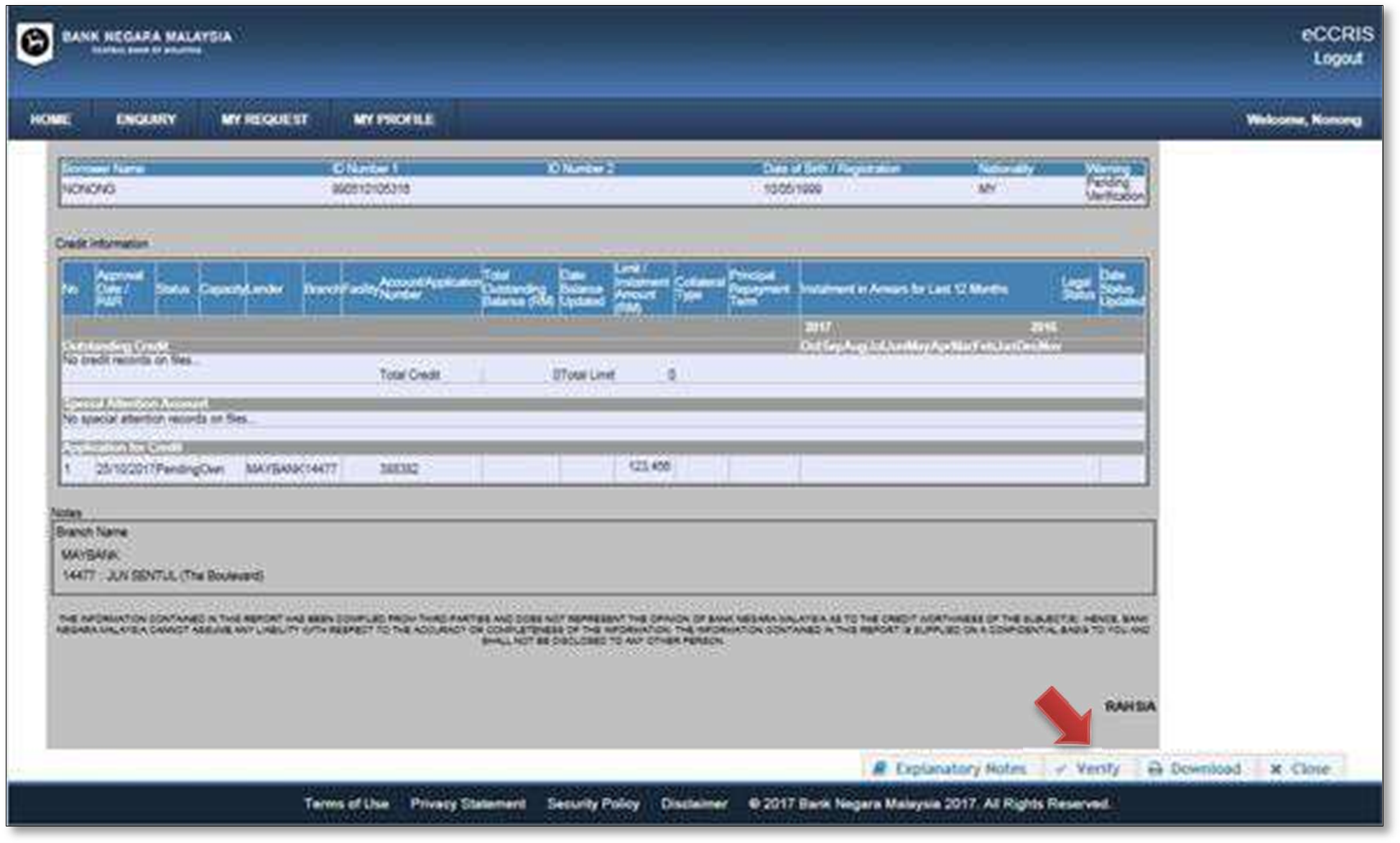
a. To verify your profile and report a dispute, click the “Verify” button.
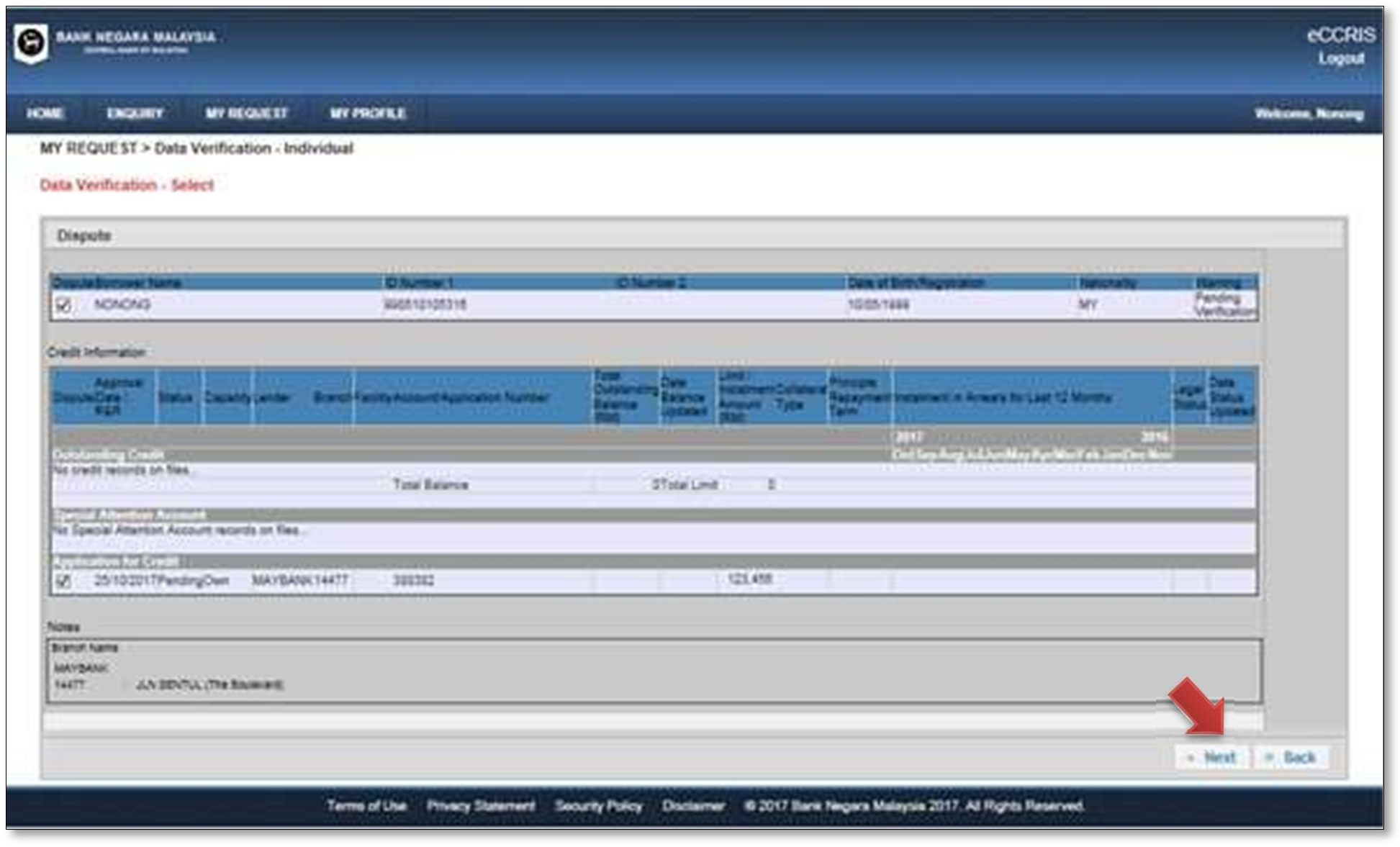
b. Select the disputed item(s) and click the “Next” button.
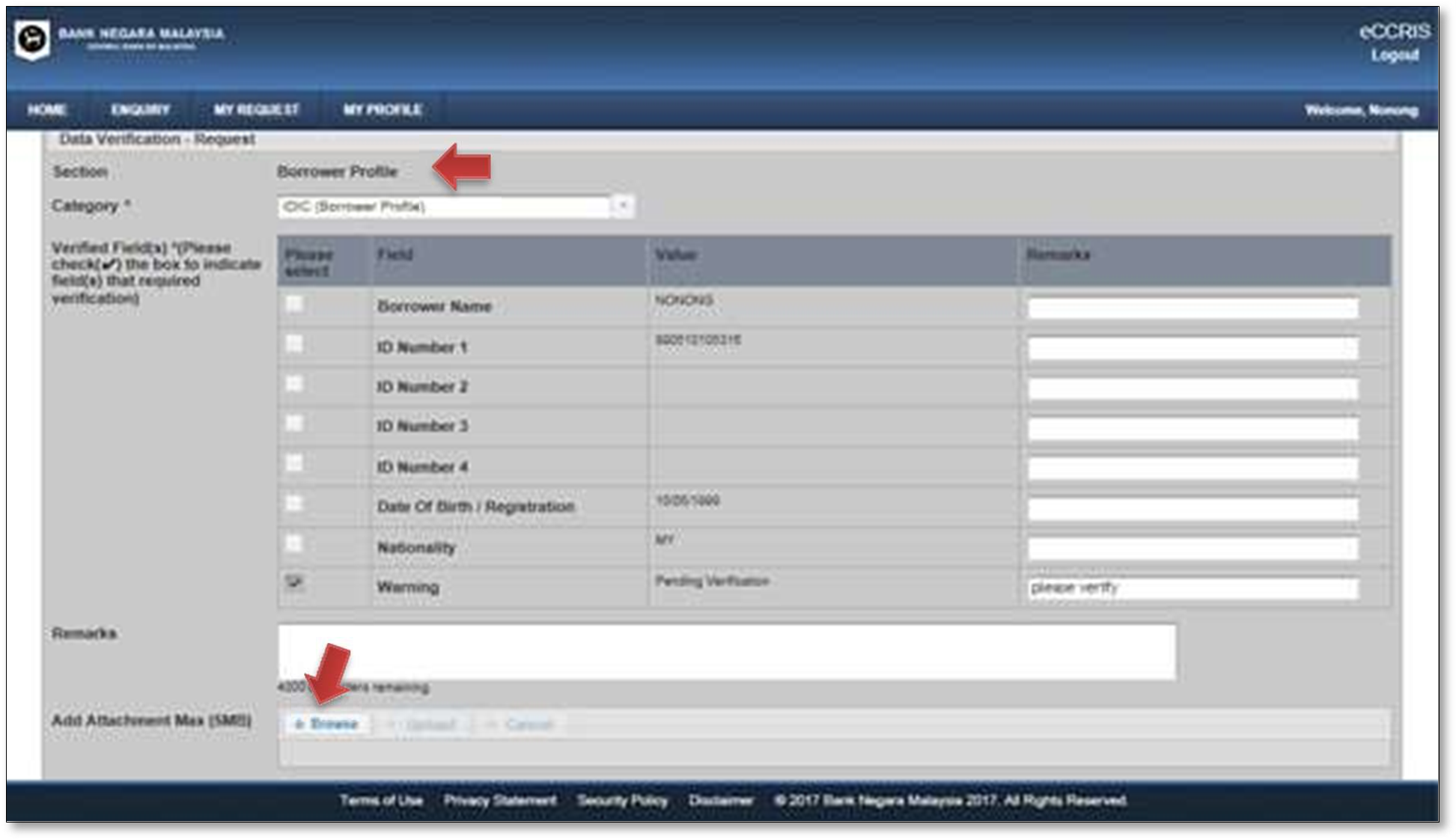
c. On the “Data Verification – Request” screen, fill up dispute details and click the “Save” button to save it as a draft or click the “Submit” button to submit the dispute for further action.
i. Data verification – Borrower Profile
Important: Please provide full information/supporting documents such as a copy of Mykad, relevant letter from Jabatan Pendaftaran Negara, etc. (Field - Add Attachment). Incomplete information may result in delayed response.
ii. Data verification – Account details (outstanding credit/special attention account/application for credit)
Please be informed that the function to channel data verification related to the application/account directly to the participating financial institutions (PFIs) is temporarily unavailable due to system upgrade.
In the event of any dispute on the accuracy of application/account details (outstanding credit/special attention account/application for credit), eCCRIS users are advised to contact their respective PFIs immediately. The contact information is available at:
Banking institutions: bnm.gov.my/list-of-licensed-financial-institutions
Development financial institutions: bnm.gov.my/list-of-development-financial-institutions
You may refer to your PFIs’ official websites
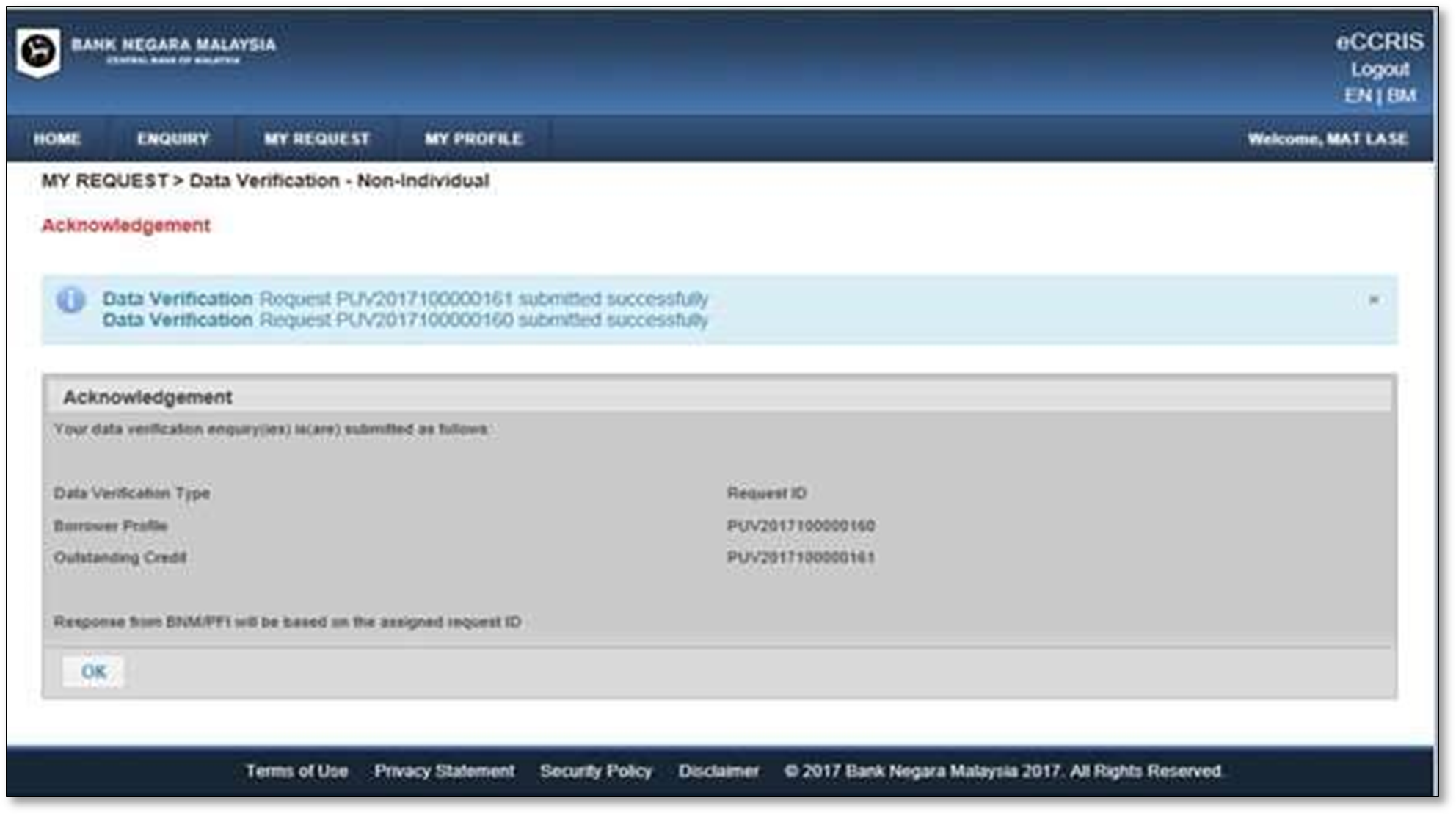
d. i. An acknowledgement message will be displayed.
ii. You will be alerted via Notification Email that Data Verification Request has been submitted.
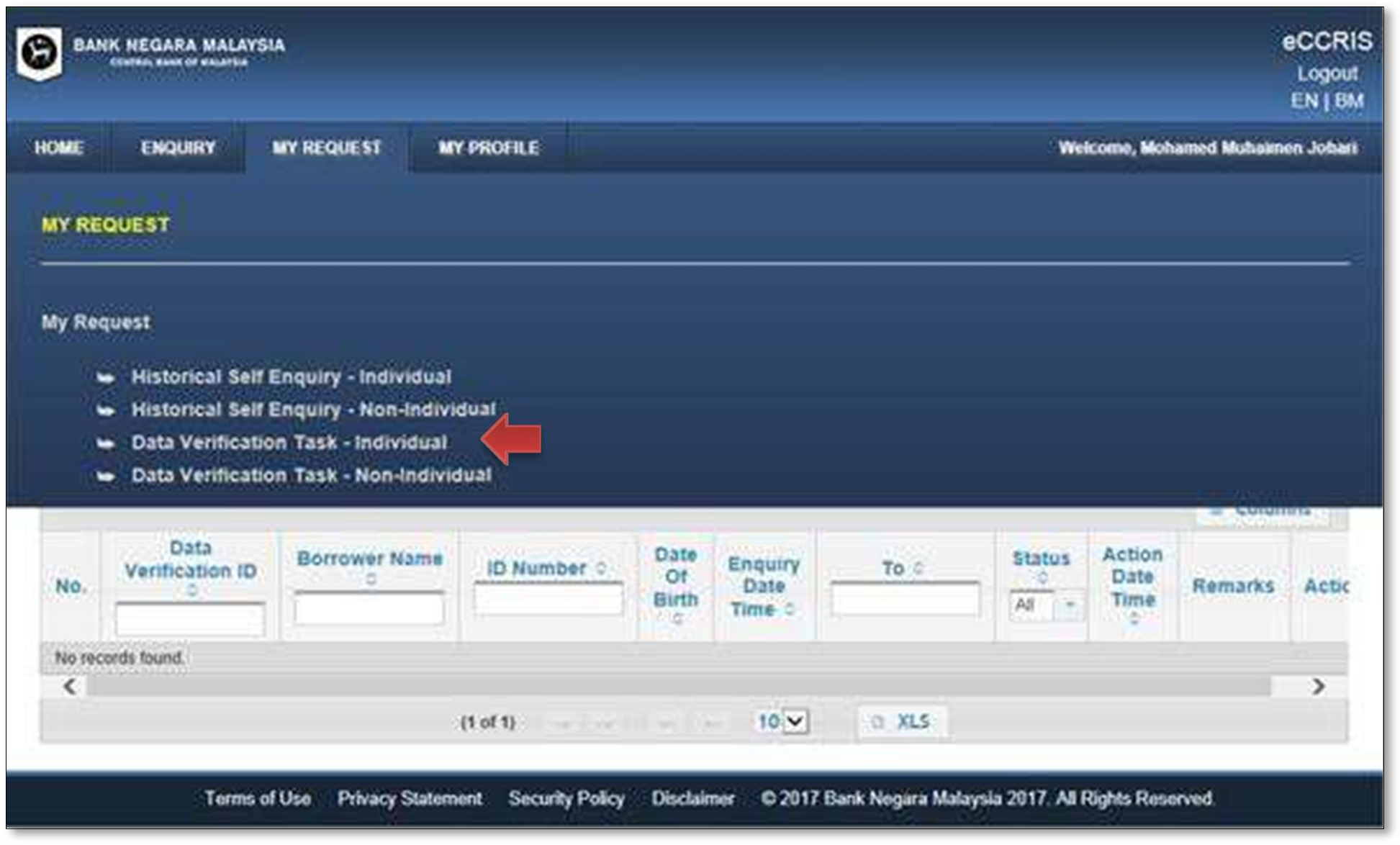
e. To check the status of data verification, please select “MY REQUEST”. The following screen will be displayed.
f. Fill up details and click the “Search” button.
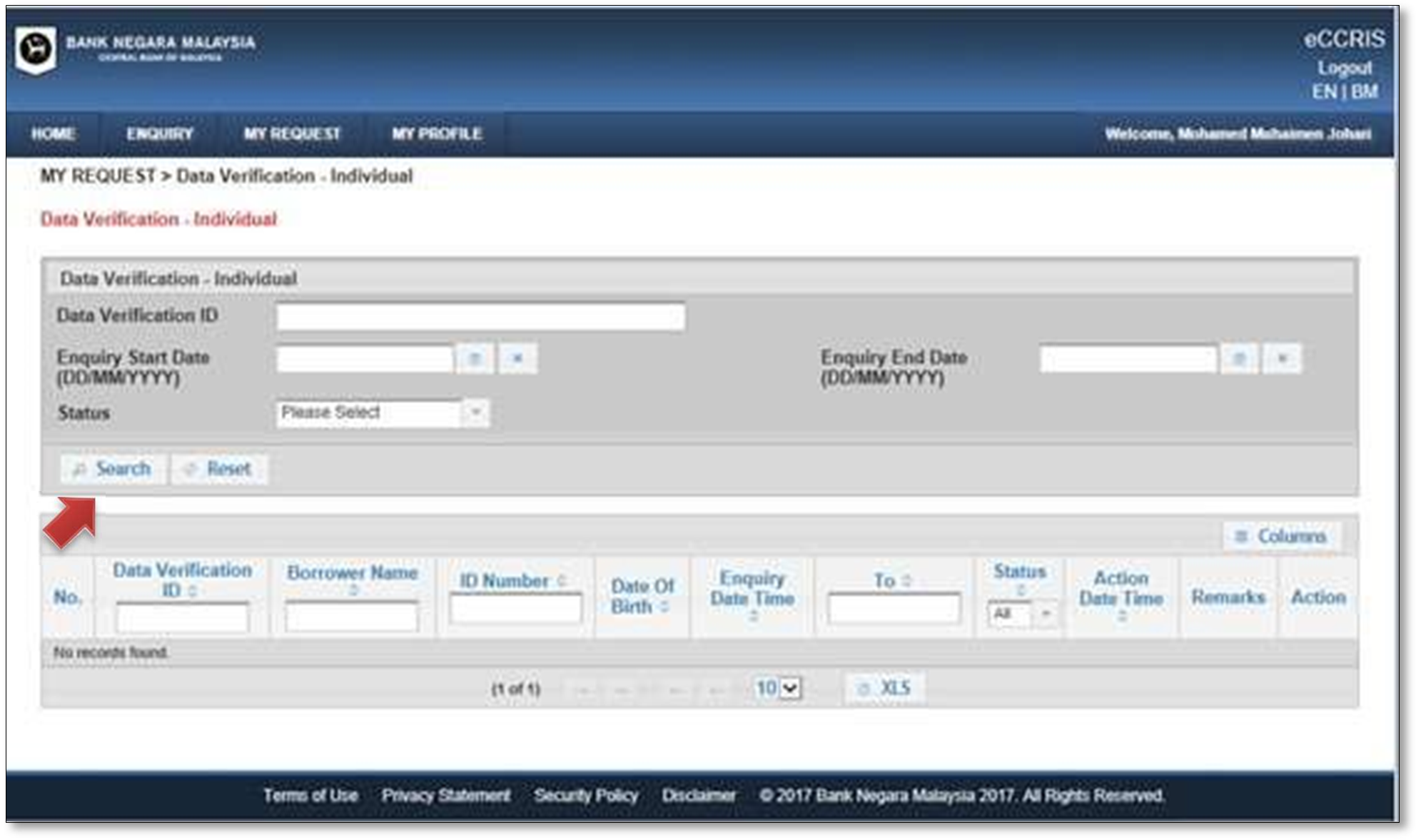
Note: Under normal circumstances, the user will receive feedback within 14 days.
I received feedback in response to my query. How do I seek further details or close the query?
a. Click the magnifying glass icon under the “Action” column.
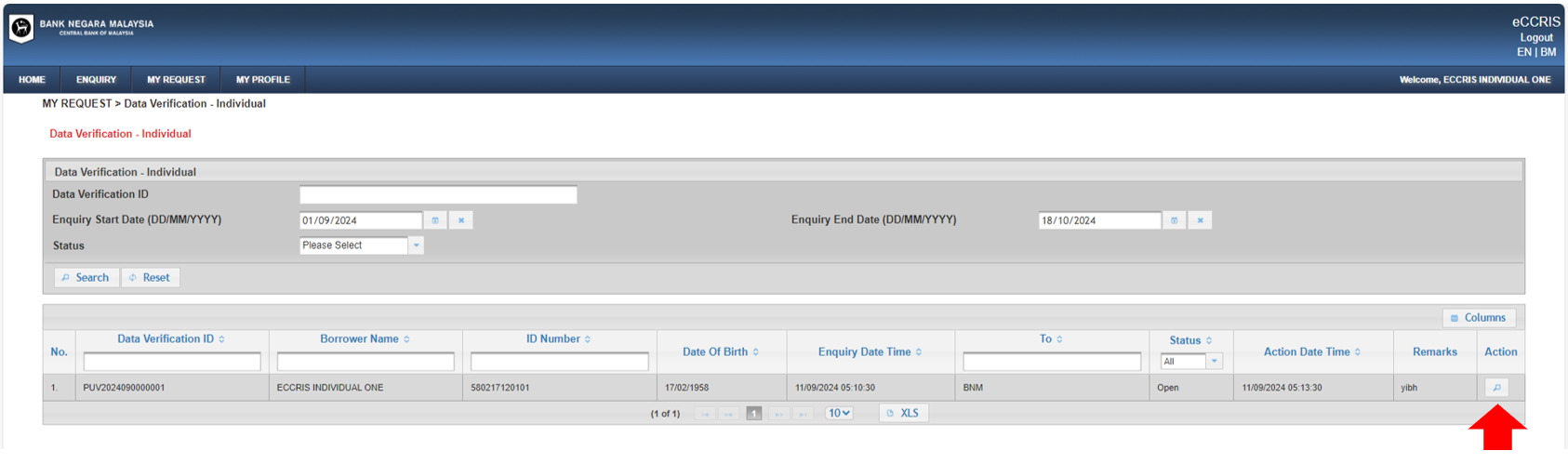
b. Click “Next”.
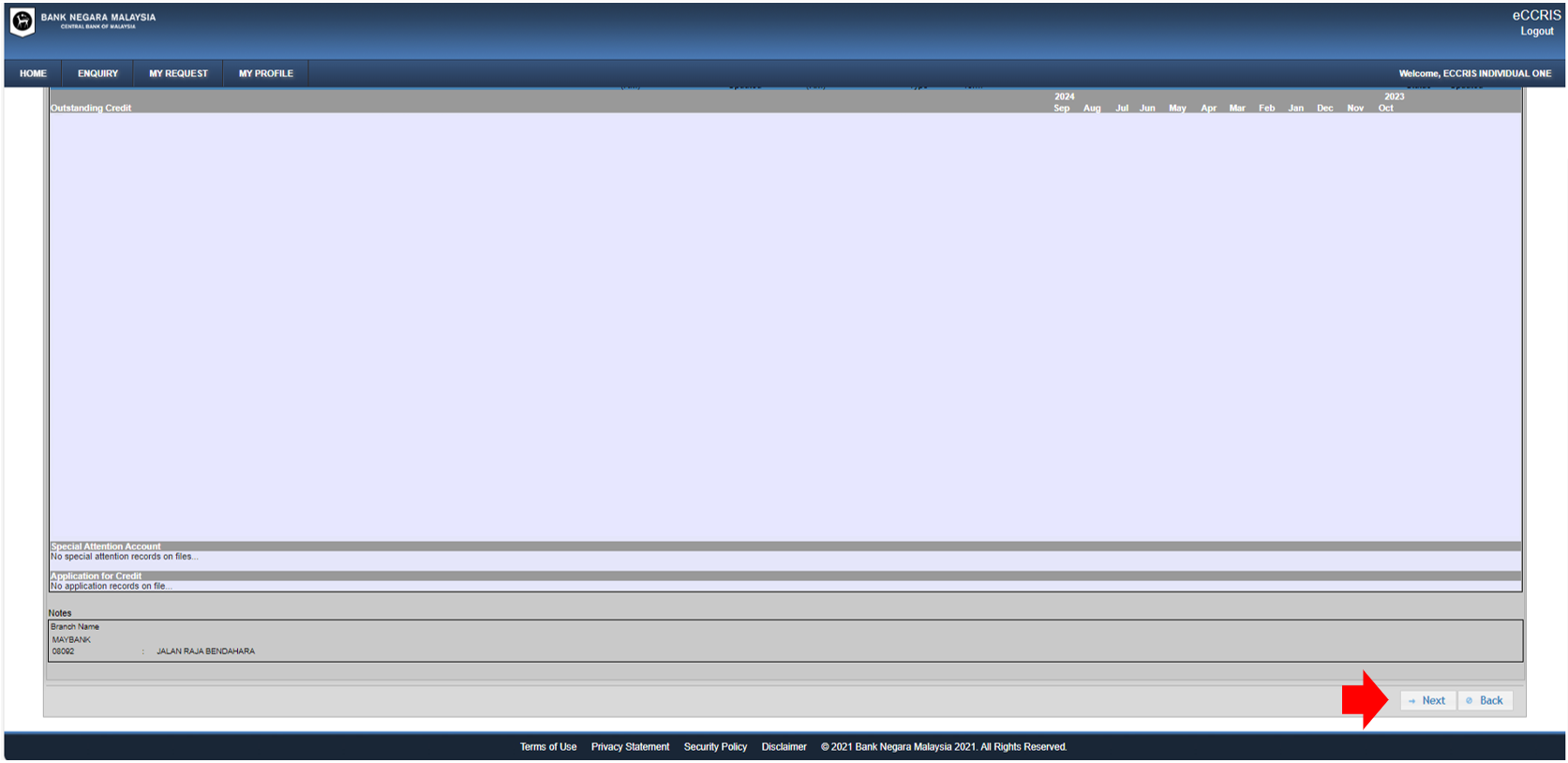
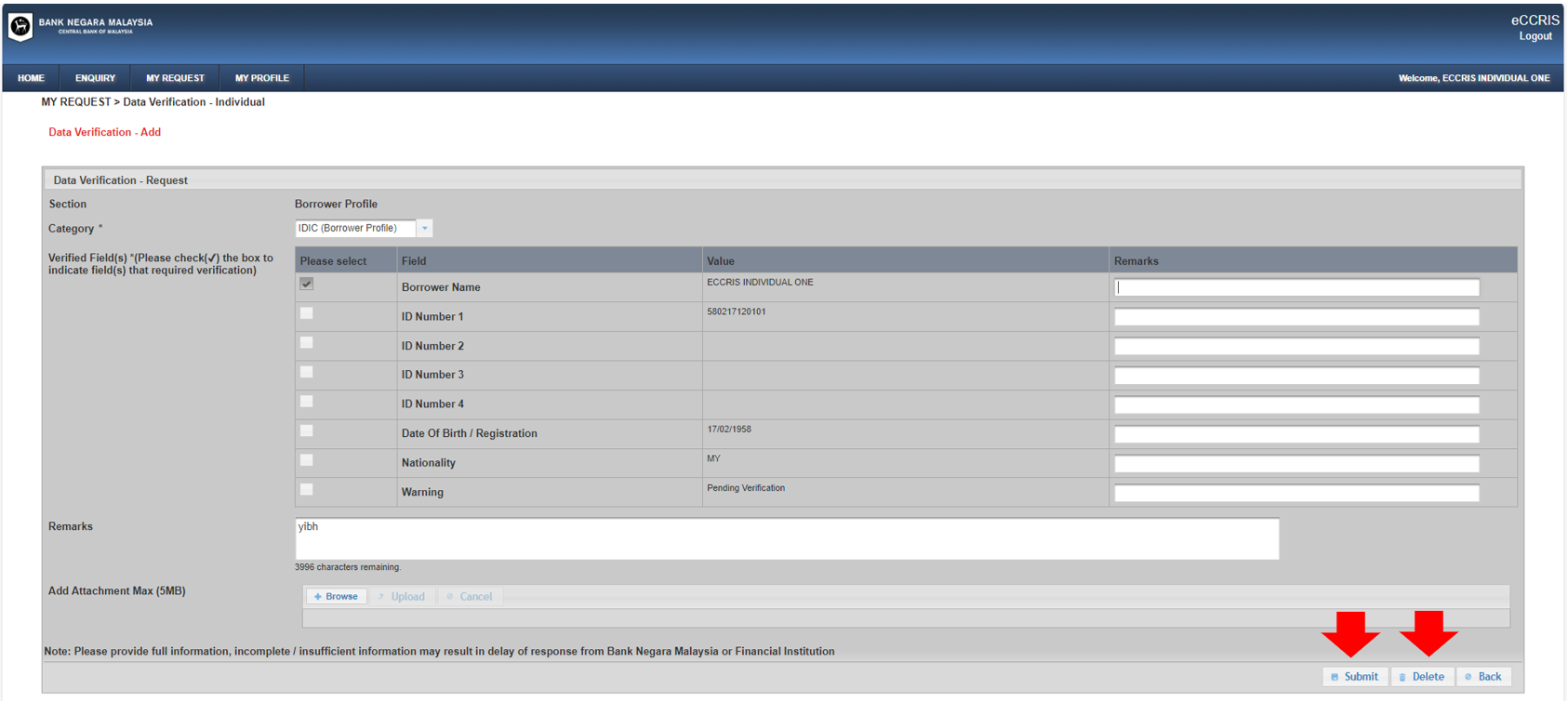
c. The screen below will be displayed.
i. If user wants to seek further clarification, enter the details in the “Remarks” section and click “Submit”; OR
ii. If user is satisfied, user may close the request by clicking the “Delete” button. Alternatively, if user does not perform any action, the system will automatically close the request after 30 days.
How to update my latest mobile number in eCCRIS?
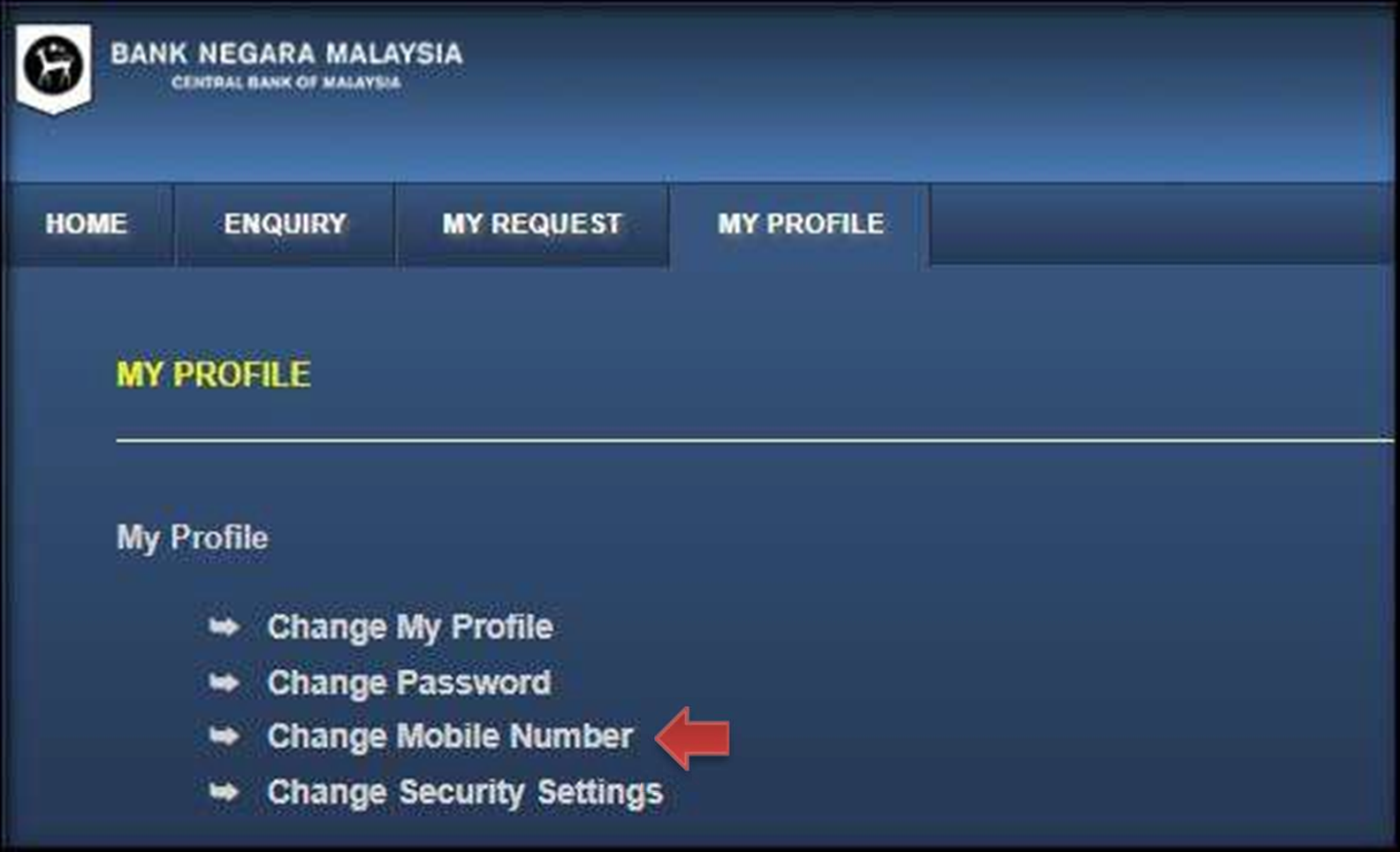
a. Go to “MY PROFILE”. Click “Change Mobile Number”.
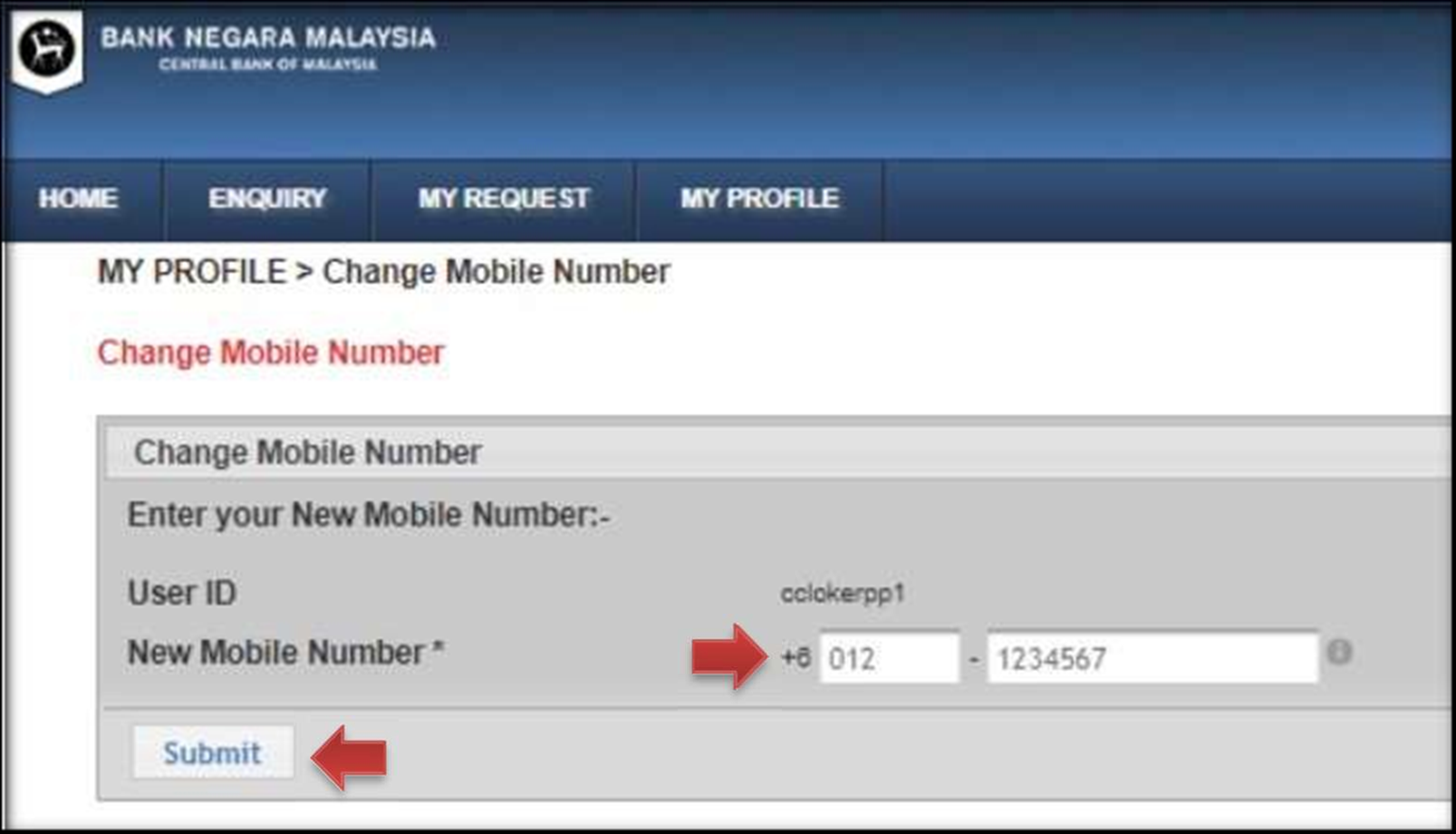
b. Insert new mobile number. Click “Submit”.
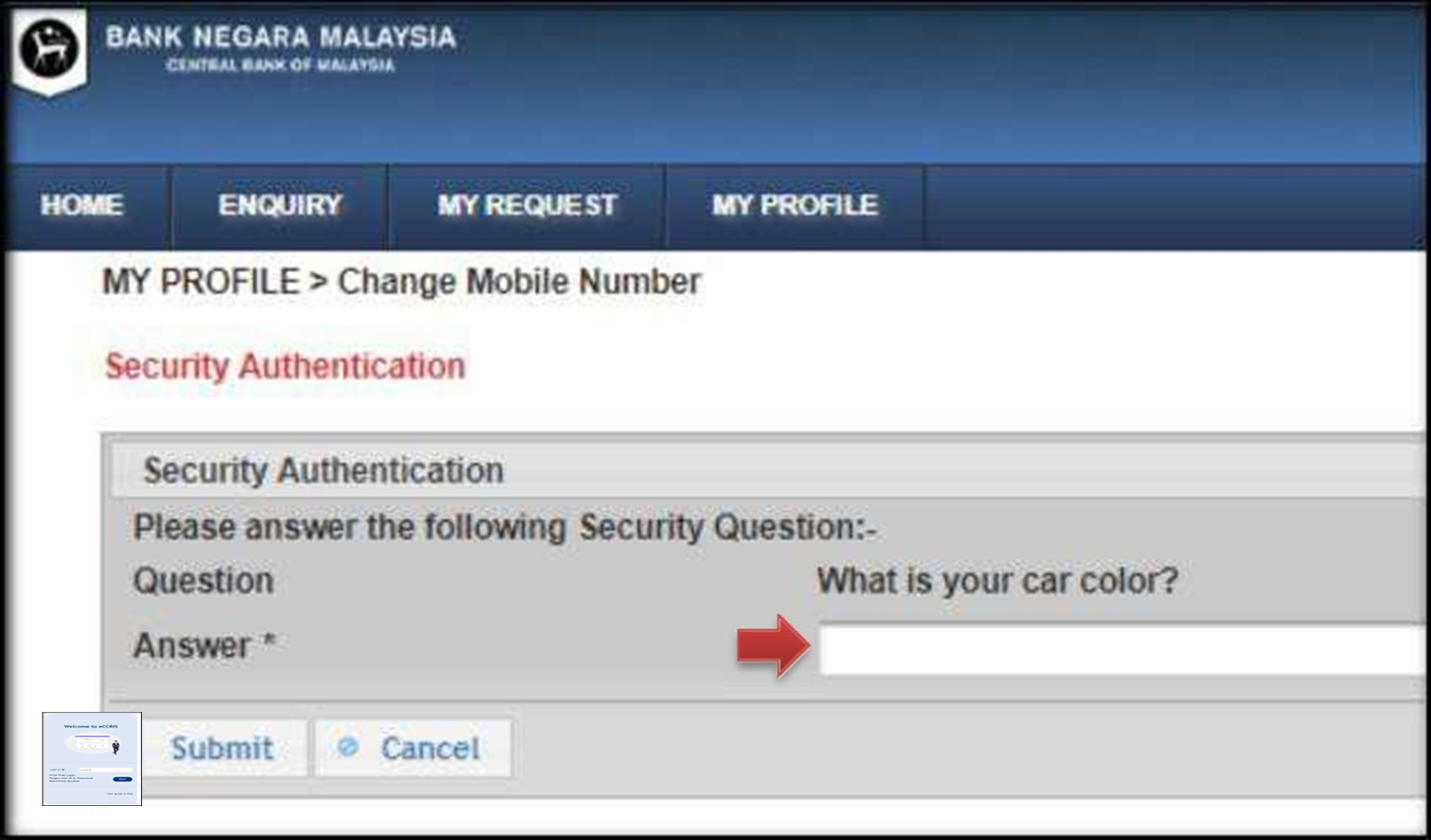
c. Answer the security question. Click “Submit”.
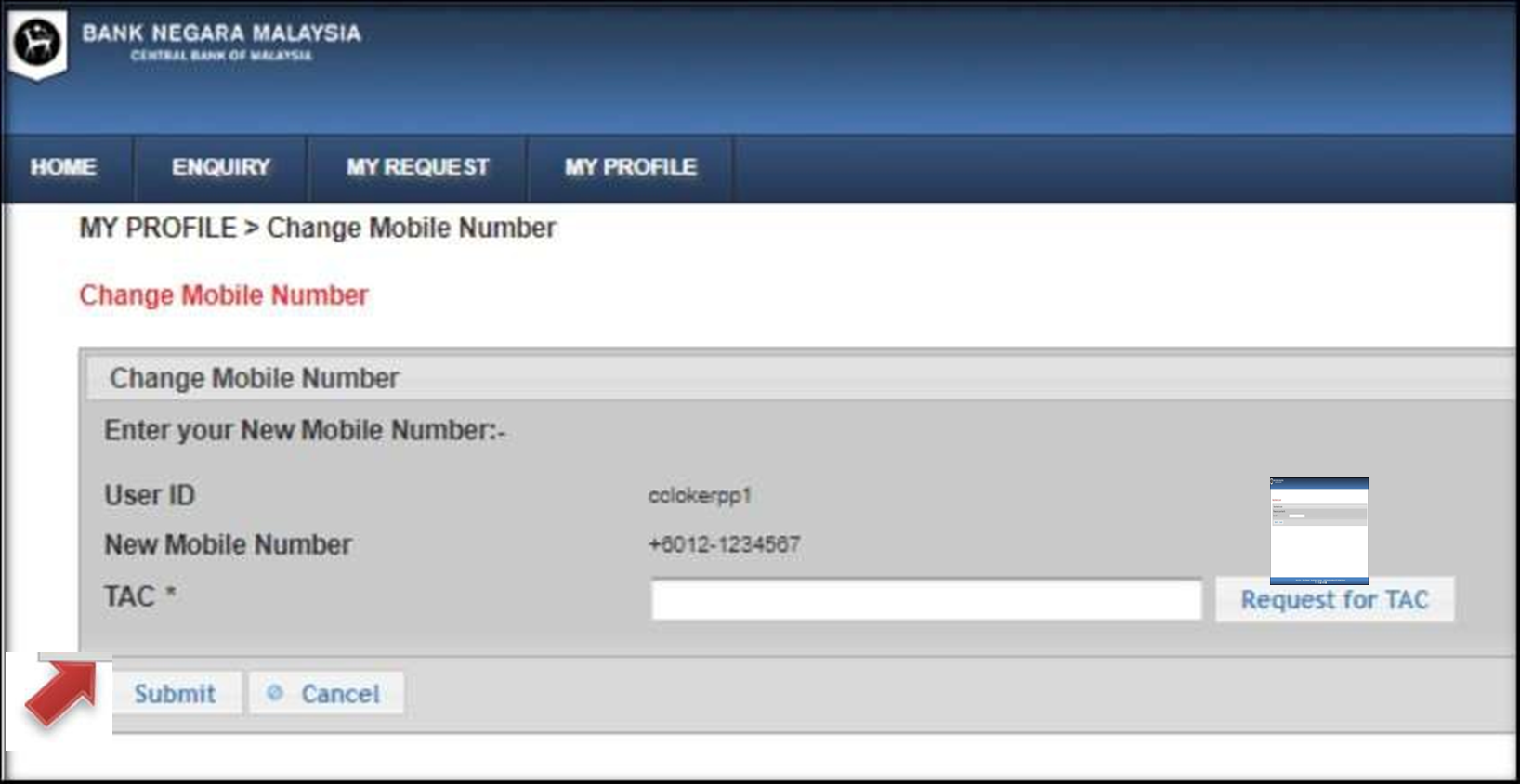
d. Click “Request for TAC”. The TAC will be sent to the new mobile number via SMS. Enter the TAC and click “Submit”.
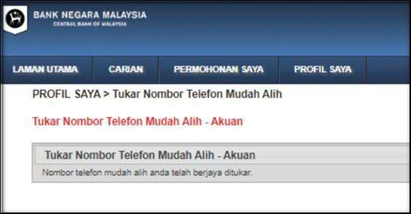
e. Mobile number successfully changed.